
What Does Hot-Swappable Mean in Networking? SFP, QSFP, DAC & AOC Explained
2026-07-25 10:40:11
Optical Knowledge Series #01 | What Does “Hot-Swappable” Really Mean in Networking?
Understanding Hot-Swappable SFP, QSFP, DAC and AOC for Data Center and Network Applications
Category: Optical Networking Knowledge
Series: Optical Knowledge Series #01
Can You Remove an SFP While the Switch Is Running?
This is one of the most common questions asked by network engineers:
“Can I remove an SFP module without shutting down my switch?”
The answer is:
Yes, most modern optical transceivers are designed to be hot-swappable.
This means engineers can replace or install optical modules without powering off the network equipment.
However, hot-swappable does not mean “remove it anytime without consideration.”
Understanding how hot swapping works can help prevent unexpected downtime, link issues, and unnecessary troubleshooting.
What Does Hot-Swappable Mean?
In networking, hot-swappable means a hardware component can be inserted or removed while the system remains powered on.
For optical networking equipment, this typically applies to:
SFP transceivers
SFP+ modules
SFP28 modules
QSFP modules
QSFP28 modules
QSFP-DD modules
OSFP modules
DAC cables
AOC cables
The switch, router, or server does not need to be restarted.
Only the specific network link connected to that optical port will be interrupted during the replacement process.
How Does Hot-Swapping Work with Optical Modules?
When you insert an optical module into a switch port, the device usually performs several steps:
1. Module Detection
The network device detects the inserted transceiver through the electrical interface.
2. EEPROM Reading
The switch reads information stored inside the module, including:
Vendor information
Part number
Serial number
Supported standards
Diagnostic information
3. Link Initialization
The switch and optical module negotiate parameters and establish the connection.
Depending on the equipment, this process may take several seconds.
Which Optical Products Support Hot-Swapping?
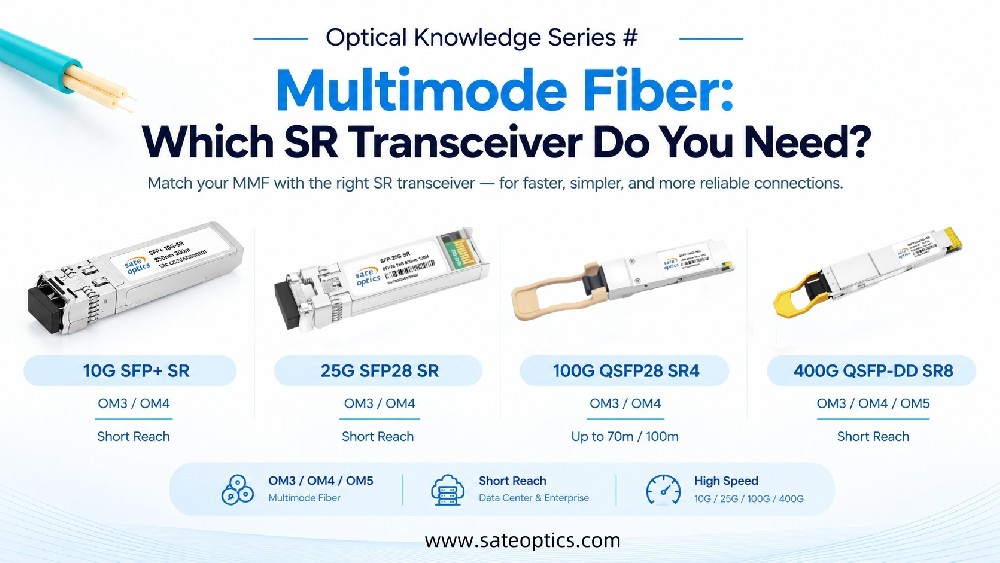
1. SFP / SFP+ / SFP28 Transceivers
SFP family modules are among the most widely used hot-swappable optical components.
Common applications include:
Enterprise Networks
Access switches
Distribution switches
Campus networks
Data Center Networks
Server connections
Top-of-Rack switches
Storage networks
Typical products:
SFP-1G-SX
SFP-1G-LX
SFP-10G-SR
SFP-10G-LR
SFP-25G-SR
SFP-25G-LR
2. QSFP Family Optical Modules
Higher-speed networks use QSFP-based transceivers.
Applications include:
Data center spine-leaf networks
High-performance computing
AI infrastructure
Common products:
QSFP-40G-SR4
QSFP-40G-LR4
QSFP-100G-SR4
QSFP-100G-LR4
QSFP-DD 400G modules
OSFP 800G modules
3. DAC and AOC Cables
Many engineers also ask:
“Can I unplug a DAC cable while the switch is running?”
Yes, DAC and AOC cables are also designed for hot-plug environments.
They are commonly used for short-distance connections.
DAC Applications:
Server-to-switch connections
Rack-to-rack connections
Top-of-Rack networking
Examples:
10G SFP+ DAC
25G SFP28 DAC
40G QSFP+ DAC
100G QSFP28 DAC
AOC Applications:
Active Optical Cables are commonly used when longer distance and higher flexibility are required.
Examples:
100G QSFP28 AOC
200G QSFP56 AOC
400G QSFP-DD AOC
Does Hot-Swapping Have Any Risks?
Although optical modules support hot swapping, engineers should still follow proper procedures.
Avoid Hot-Swapping During:
Firmware Updates
The device may not correctly detect the module during system changes.
Switch Boot Process
Wait until the system is fully operational.
Critical Network Links Without Redundancy
A link interruption may affect connected services.
Dirty Fiber Connectors
Dust contamination can cause:
Low Rx power
Link instability
Packet errors
Best Practices When Replacing Optical Modules
1. Use the Release Latch Correctly
Do not force the module.
Pull the release tab or latch gently before removal.
2. Keep Dust Caps Installed
Unused optical ports should always be protected.
Clean connectors before reconnecting.
3. Check DOM/DDM Information
After installation, monitor:
Tx Power
Rx Power
Temperature
Voltage
This helps verify the optical link condition.
4. Confirm Compatibility Before Replacement
A physically compatible module may still fail because of:
Vendor coding
EEPROM configuration
Switch compatibility settings
Firmware restrictions
Always verify compatibility before installation.
Real-World Application Scenarios
Scenario 1: Data Center Upgrade
A network engineer upgrades from:
10G → 25G → 100G
without shutting down the entire switch.
Hot-swappable optical modules allow faster maintenance.
Scenario 2: ISP Network Maintenance
ISPs often need to replace failed optics while keeping other services online.
Hot-swappable modules reduce maintenance time.
Scenario 3: Enterprise Network Troubleshooting
When diagnosing unstable links, engineers can quickly replace:
SFP modules
Patch cables
DAC cables
without powering off network equipment.
FAQ: Hot-Swappable Optical Modules
Q1: Can I remove an SFP while the switch is running?
Yes. Most SFP modules are designed for hot-swappable operation.
However, the connected link will go down during replacement.
Q2: Is QSFP hot-swappable?
Yes. QSFP, QSFP28, QSFP-DD and OSFP modules are designed for hot-plug environments.
Q3: Can I unplug a DAC cable without shutting down?
Yes. DAC cables use pluggable transceiver interfaces and can normally be removed while equipment remains powered.
Q4: Will hot swapping damage my switch?
Normally no.
However, avoid forcing modules, touching optical connectors, or swapping during unstable system conditions.
Q5: Why does my link not come back after replacing an SFP?
Possible causes include:
Incorrect compatibility coding
Dirty fiber connector
Wrong wavelength
Insufficient optical power
Switch configuration issue
Conclusion: Hot-Swappable Means Easier Maintenance, Not Careless Operation
Hot-swappable optical modules have become essential for modern networking because they reduce downtime and simplify maintenance.
From SFP and QSFP transceivers to DAC and AOC cables, hot-plug capability helps engineers maintain and upgrade networks more efficiently.
But successful replacement still depends on:
✔ Correct compatibility
✔ Clean optical connections
✔ Proper installation
✔ Optical monitoring
Understanding these details helps build more reliable fiber networks.
Need Compatible SFP, QSFP, DAC or AOC Solutions?
Sate Optics provides:
✅ Compatible optical transceivers for major networking brands
✅ SFP / SFP+ / SFP28 / QSFP / QSFP-DD solutions
✅ DAC and AOC cables for data center connectivity
✅ Tested modules with reliable performance
Contact our team for compatibility checking and optical networking solutions.
1G SFP Transceivers
10G SFP+ Optical Modules
25G SFP28 Transceivers
40G QSFP+ Modules
100G QSFP28 Modules
400G QSFP-DD Optical Transceivers
SFP+ DAC Cables
QSFP28 DAC Cables
Active Optical Cables (AOC)
Previous:Optical Modules Running Hot? Power Consumption & Temperature Guide
Next:What Is DOM/DDM? How Digital Optical Monitoring Helps Troubleshoot SFP & QSFP Modules