
Optical Modules Running Hot? Power Consumption & Temperature Guide
2026-07-23 16:06:24
Optical Modules Running Hot? 5 Things to Check Before Your Next Network Upgrade
As network speeds continue to increase, optical transceivers are becoming more powerful and more compact.
From:
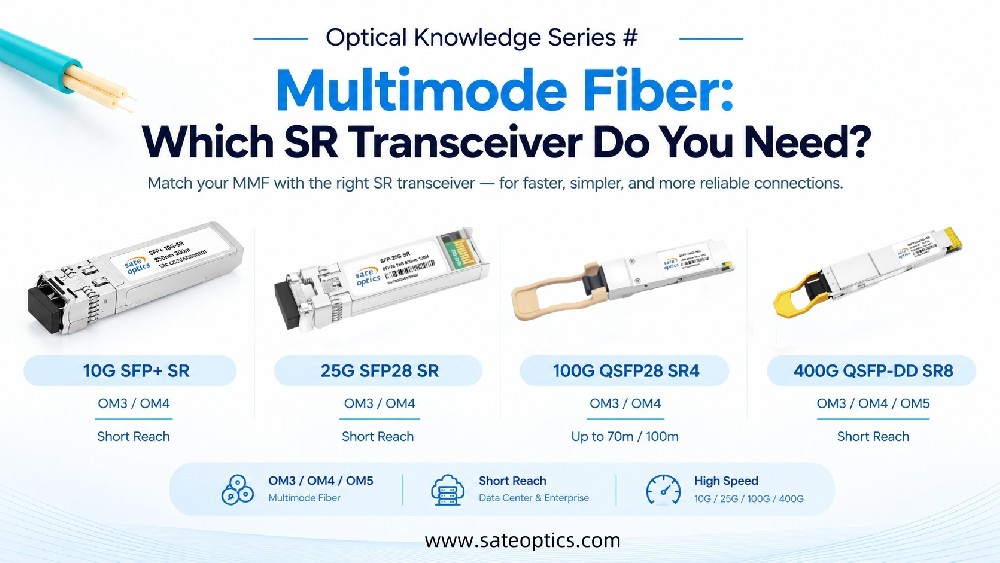
10G SFP+
25G SFP28
40G QSFP+
100G QSFP28
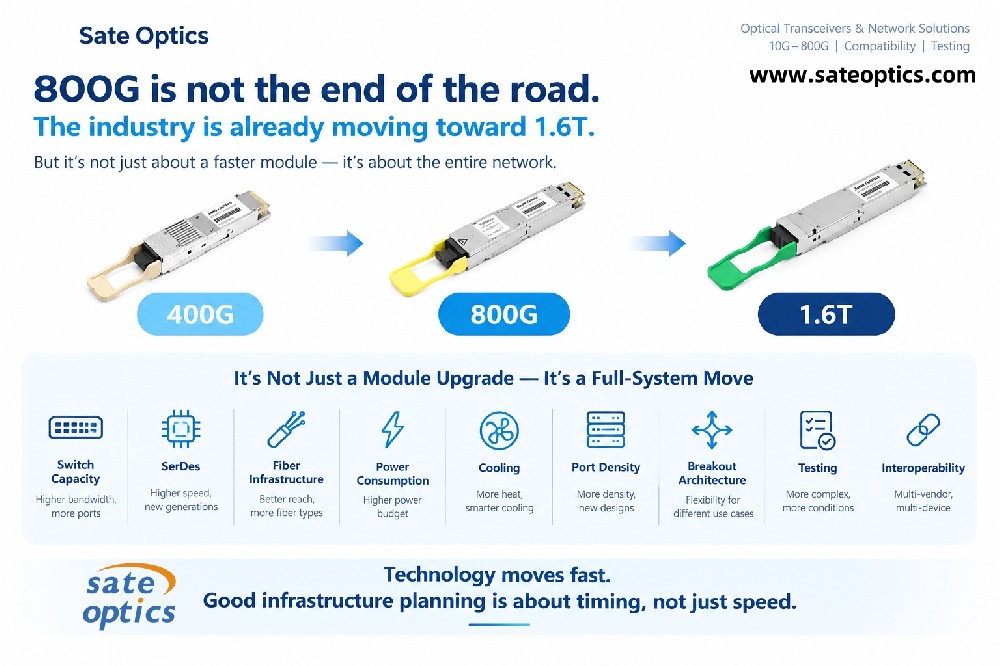
400G QSFP-DD
800G OSFP
high-speed optics are helping data centers achieve higher bandwidth and greater network density.
However, one challenge is becoming increasingly important:
Power consumption and thermal management.
A module that works perfectly during initial testing may create problems later when hundreds or thousands of ports are deployed in a high-density environment.
Overheating optical modules can lead to:
Higher cooling requirements
Reduced system efficiency
Unexpected link instability
Difficult troubleshooting during network operation
So before your next optical upgrade, here are five key factors to consider.
1. Higher-Speed Optical Modules Usually Require More Thermal Planning
A common assumption is:
"Faster network speed only means higher bandwidth."
But in reality, higher-speed optics often involve:
More complex optical engines
Advanced signal processing
Higher electrical requirements
For example:
A 10G SFP+ module and a 400G QSFP-DD module have completely different power and thermal characteristics.
When upgrading from:
10G → 100G
100G → 400G
network teams should evaluate not only speed requirements but also:
Module power consumption
Switch airflow design
Rack density
Cooling capability
2. Power Consumption Matters More in Large-Scale Deployments
A difference of only a few watts may seem insignificant for one port.
But in a large data center:
Power difference per module × hundreds of ports = significant heat generation.
For example, when deploying thousands of high-speed optical modules, even small increases in power consumption can affect:
Total rack power usage
Cooling requirements
Operational costs
This is why many data center teams now consider power efficiency when selecting:
100G QSFP28 transceivers
400G QSFP-DD modules
High-density optical solutions
3. Operating Temperature and Environment Are Critical
Optical modules are designed to operate within specific temperature ranges.
However, real-world environments vary.
Factors that can affect module temperature include:
Rack airflow direction
Switch chassis design
Port density
Ambient temperature
Cable management
A module that performs well in a low-density environment may experience different conditions inside a fully loaded data center rack.
Always check:
✅ Operating temperature range
✅ Cooling airflow
✅ Equipment compatibility
before deployment.
4. Monitor Optical Performance Before Problems Occur
Temperature is not the only indicator of optical health.
Modern optical modules support DDM/DOM monitoring, allowing engineers to check:
Temperature
Tx Power
Rx Power
Voltage
Bias Current
Monitoring optical parameters helps identify potential issues before they become network failures.
For example:
A gradual decrease in Rx Power may indicate:
Fiber contamination
Connector issues
Increasing link loss
while abnormal temperature changes may indicate:
Poor airflow
High-density deployment challenges
Module stress
5. Choose the Right Optical Module — Not Simply the Highest Specification
The best optical module is not always the one with the highest speed.
The correct choice depends on:
Data Center Short-Distance Links
Common solutions:
DAC cables
AOC cables
100G QSFP28 SR4
400G QSFP-DD SR8
Advantages:
Lower latency
Lower power consumption
Cost-effective deployment
High-Density Data Center Networks
Consider:
Module power consumption
Thermal design
Rack density
Typical applications:
AI clusters
Cloud data centers
Large-scale server networks
Long-Distance Fiber Connections
Consider:
Optical budget
Fiber type
Transmission distance
Common solutions:
10G LR
10G ER
10G ZR
100G LR4
400G FR4/LR4
Optical Module Selection Checklist
Before purchasing optical transceivers, check:
✅ Data rate requirement
✅ Transmission distance
✅ Fiber type
✅ Power consumption
✅ Operating temperature
✅ Equipment compatibility
✅ Future upgrade plan
A correct optical selection can improve network stability and reduce long-term operating costs.
FAQ: Optical Module Heat and Power Consumption
Why do optical modules become hot?
Optical modules generate heat during electrical-to-optical conversion and signal processing. Higher-speed modules typically require more advanced components, which may increase power consumption.
Are hotter optical modules always a problem?
Not necessarily.
Optical modules are designed to operate within specified temperature ranges. The concern is when temperature approaches operating limits or affects long-term reliability.
Do 400G optical modules require special cooling?
High-density 400G deployments require careful consideration of airflow, rack design, and power consumption. Proper thermal planning helps ensure stable operation.
How can I reduce optical module overheating issues?
You can:
Choose suitable low-power optics
Ensure proper airflow
Avoid unnecessary overspecification
Monitor module temperature through DDM/DOM
Sate Optics: Reliable Optical Solutions for Data Center Upgrades
Sate Optics provides compatible optical transceivers for various networking environments, including:
SFP / SFP+
SFP28
QSFP+
QSFP28
QSFP-DD
OSFP
Our optical modules are tested for compatibility with major networking platforms and designed for reliable deployment in:
Data centers
Enterprise networks
Telecom networks
Cloud infrastructure
Need help selecting the right optical module for your network upgrade?
Contact Sate Optics today for compatibility guidance and optical solution support.
Previous:Link Flapping? How to Troubleshoot SFP, SFP+, QSFP+ and QSFP28 Transceiver Issues Before Replacement
Next:What Does Hot-Swappable Mean in Networking? SFP, QSFP, DAC & AOC Explained