
Original vs Compatible Optical Transceivers: What Matters? | Sate Optics
2026-09-08 17:47:00
Original vs. Compatible Optical Transceivers: What Actually Matters When Choosing an Optical Module?
Choosing an optical transceiver is not simply a question of original vs. compatible — or expensive vs. inexpensive.
For data centers, enterprise networks, telecom networks, and service provider infrastructure, the right optical module needs to match the equipment, fiber infrastructure, optical link, operating environment, and application requirements.
An original transceiver may be the right choice for certain deployments. A compatible optical transceiver can also be a practical and cost-effective option when it has been properly specified, tested, and validated for the target platform.
So, what should you actually check before purchasing an optical module?
Here are seven factors that matter.
1. Compatibility: Start With the Exact Equipment
One of the most common mistakes is evaluating compatibility too broadly.
For example, saying that a module is simply:
“Cisco compatible”
does not provide enough information for a technical deployment.
The actual evaluation should consider:
Switch or router model
Port type
Port speed
Transceiver form factor
Supported optical standard
Vendor coding requirements
Network operating environment
For example, a 10G SFP+ module designed for one application should not automatically be assumed to work in every 10G SFP+ port.
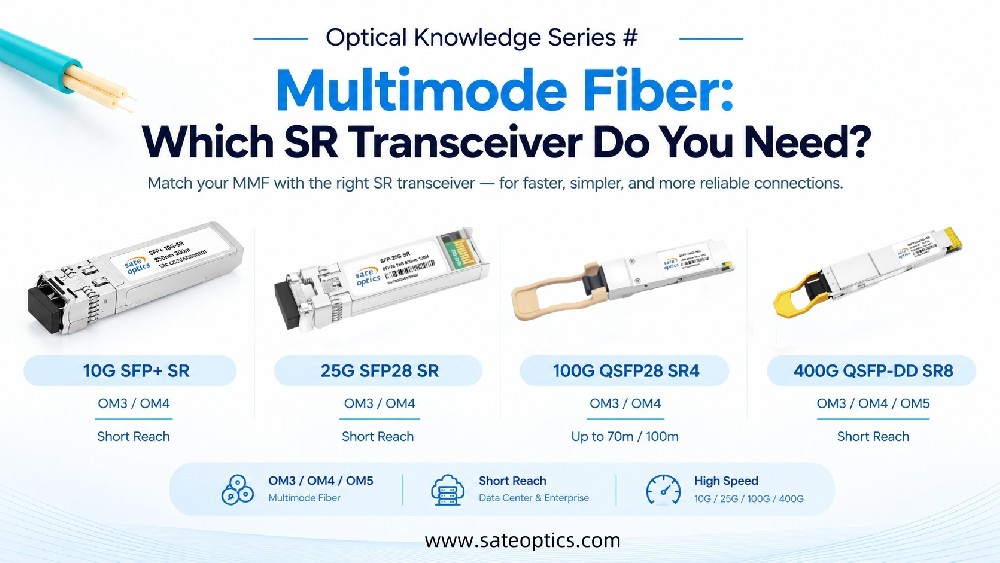
The same principle applies to SFP, SFP+, SFP28, QSFP+, QSFP28, QSFP-DD, and OSFP modules.
A better approach
Before ordering, provide your supplier with:
Equipment model + port type + required speed + distance + fiber type
This allows the module specification and compatibility to be checked against the actual deployment.
2. Optical Budget Matters More Than the Advertised Distance
A module labeled 10 km, 40 km, or 80 km does not mean that the link will automatically operate reliably over that distance.
The actual link depends on the available optical budget and the loss of the fiber path.
A simplified way to understand the relationship is:
Optical Margin ≈ Tx Power − Rx Sensitivity − Link Loss
Where:
Tx Power = transmitted optical power
Rx Sensitivity = minimum received optical power required for the receiver
Link Loss = total loss of the fiber path
Link loss can come from:
Fiber attenuation
Connectors
Splices
Patch panels
Adapters
Other passive components
For example, a nominal 40 km optical transceiver may not be suitable for a particular 40 km link if the total path loss is higher than the module's available optical budget.
This is why distance alone should not be used to select a long-reach transceiver.
3. Fiber Type, Wavelength and Connector Must Match
The transceiver is only one part of the optical link.
The module must also match the existing fiber infrastructure.
Before ordering, verify:
Fiber type
SMF — Single-Mode Fiber
MMF — Multimode Fiber
Wavelength
Depending on the module and application, common wavelengths include:
850 nm
1310 nm
1550 nm
CWDM wavelengths
DWDM wavelengths
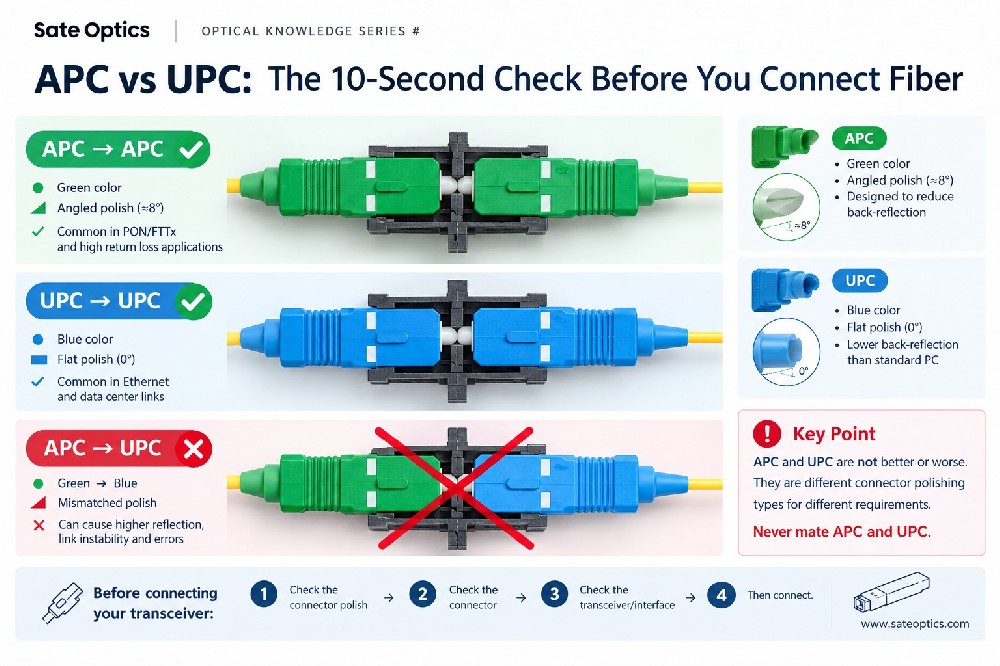
Connector
Common configurations include:
LC
Duplex LC
Simplex LC
MPO/MTP
For example, many 10G LR and 100G LR4 applications use single-mode fiber and 1310 nm optical transmission.
By contrast, short-reach multimode applications commonly use 850 nm optics.
A module can be correctly coded for the network switch but still be unsuitable for the physical fiber infrastructure.
4. DOM/DDM Can Be Valuable for Network Troubleshooting
For many modern optical transceivers, DOM (Digital Optical Monitoring) or DDM (Digital Diagnostic Monitoring) provides useful information about the operating condition of the module.
Depending on the module and host platform, available parameters may include:
Tx optical power
Rx optical power
Module temperature
Supply voltage
Laser bias current
These measurements can help engineers investigate abnormal optical performance.
For example, if a link begins showing errors, monitoring Rx optical power can help determine whether the received signal level has changed.
However, DOM/DDM should be treated as a diagnostic tool, not as a complete substitute for physical-layer testing.
The actual availability and behavior of monitoring parameters can depend on the module design, transceiver firmware, and host equipment.
5. Ask How the Optical Module Is Tested
Price and datasheet specifications are important, but they don't tell the entire story.
When evaluating a new optical transceiver supplier, it is worth asking:
How is the module tested before shipment?
Depending on the product and application, testing may include:
Optical performance testing
Transmitter power verification
Receiver sensitivity verification
Compatibility testing
DOM/DDM verification
Temperature testing
BER testing for applicable high-speed products
The appropriate test methodology depends on the module type and application.
For example, testing requirements for a 1G SFP are not necessarily the same as those for a 400G QSFP-DD or 800G OSFP.
A professional supplier should be able to explain what is tested and what the test results mean.
6. Consider the Operating Environment
A transceiver that works well in a controlled data center environment may have different requirements when deployed in:
Telecom cabinets
Outdoor enclosures
Industrial environments
Access networks
Temperature-variable locations
Operating temperature is therefore an important specification.
Common commercial, extended, and industrial temperature ranges can differ depending on the module design.
Before purchasing, make sure the module's specified operating temperature range is appropriate for the actual installation environment.
Don't select a transceiver based only on speed and distance.
The environment matters too.
7. What Happens If the Module Needs to Be Replaced?
This is often overlooked during procurement.
Imagine a network link experiences an optical problem.
The actual cost may include more than the price of the transceiver:
Module cost
Troubleshooting time
Technician labor
Replacement lead time
Potential service interruption
Project delay
This is why the cheapest module is not necessarily the lowest-cost solution.
A more useful question is:
What is the total cost of ownership for this optical link?
A supplier that can provide consistent specifications, compatibility support, testing information, and replacement availability can reduce operational risk.
Original vs. Compatible: Which One Should You Choose?
There is no universal answer.
Original optical modules may be preferred when:
Official vendor support is required
The network has strict vendor qualification requirements
The customer requires manufacturer warranty/support
The application has already been standardized around the original vendor
Compatible optical modules may be attractive when:
Cost optimization is important
Multiple network vendors are being used
The customer needs flexible sourcing
The module has been properly specified and tested
Compatibility with the target platform has been verified
The important point is:
“Compatible” should not simply mean “cheaper.”
The module should still meet the required optical, electrical, mechanical, environmental, and compatibility requirements.
A Practical Optical Transceiver Selection Checklist
Before placing an order, we recommend checking these seven items:
| Check | What to Verify |
|---|---|
| Compatibility | Exact switch, router and port |
| Optical Budget | Tx power, Rx sensitivity and link loss |
| Fiber | SMF/MMF and fiber infrastructure |
| Wavelength | 850 nm / 1310 nm / 1550 nm / CWDM / DWDM |
| Connector | LC / MPO / BiDi configuration |
| Diagnostics | DOM/DDM requirements |
| Environment | Operating temperature and application conditions |
| Testing | Compatibility and optical performance verification |
| Replacement | Lead time and after-sales support |
The right choice depends on the complete application, not just the label on the transceiver.
Optical Transceivers for Different Network Applications
The selection criteria can also vary according to the network environment.
Data Center
Common requirements include:
High-speed Ethernet
Short- and medium-reach connectivity
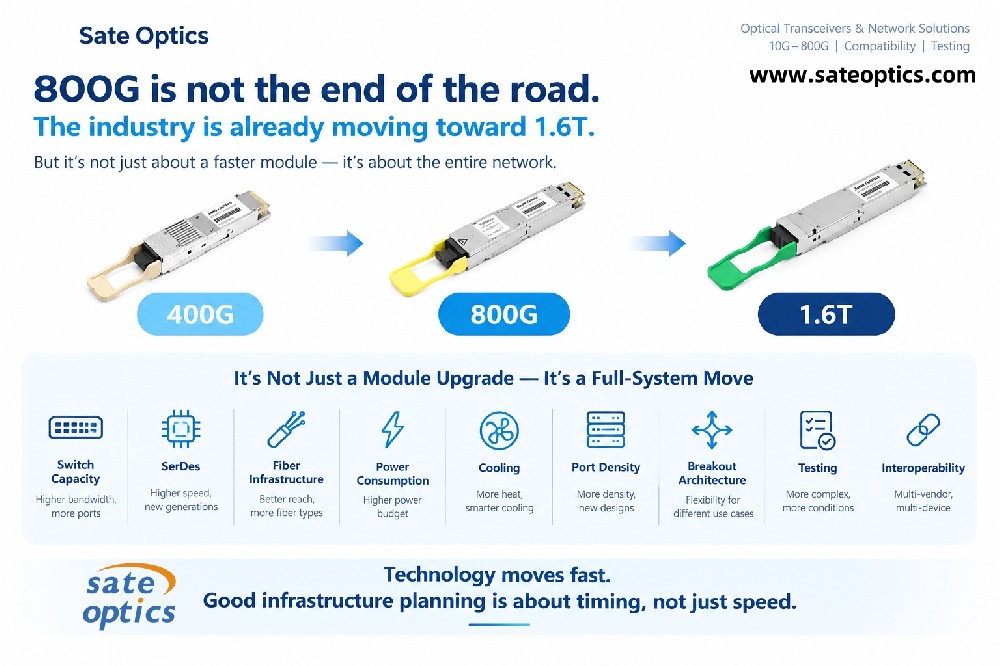
100G / 200G / 400G / 800G
High-density fiber connectivity
DOM/DDM monitoring
Low-latency interconnects
Typical products include:
QSFP28, QSFP-DD, OSFP, DAC and AOC
Enterprise Networks
Enterprise networks often require:
1G / 10G / 25G connectivity
Reliable switch-to-switch links
Server and storage connectivity
Multimode or single-mode fiber
Multi-vendor compatibility
Common form factors include:
SFP, SFP+, SFP28 and QSFP+
Telecom & Service Provider Networks
Telecom and ISP deployments may require:
Long-distance transmission
Single-mode fiber
10G / 25G / 100G and higher speeds
Extended temperature options
CWDM/DWDM solutions
High optical power budget
Long-reach SFP+, SFP28 and QSFP28 transceivers are commonly used depending on the network architecture.
Frequently Asked Questions
Are compatible optical modules reliable?
A compatible module can be a reliable option when its specifications, platform compatibility, and performance have been properly validated for the intended application.
The key is not simply whether the module is original or compatible, but whether it meets the requirements of the actual deployment.
Are original optical modules always better?
Not necessarily.
Original modules can offer important advantages such as official vendor support and qualification. However, a properly specified and tested compatible module can also meet the requirements of many network deployments.
The appropriate choice depends on the application and customer requirements.
How do I choose an optical transceiver?
Start with the network equipment and determine:
Speed → Form factor → Fiber → Wavelength → Connector → Distance → Optical budget → Temperature → Compatibility
For complex links, the actual fiber loss should also be considered before selecting the reach of the transceiver.
Does a 40 km module always work over 40 km?
No.
The nominal transmission distance should not be treated as a guarantee for every 40 km fiber path.
Actual performance depends on factors including optical budget, fiber attenuation, connector/splice loss, and the specifications of the transceiver.
Why is DOM/DDM important?
DOM/DDM can provide useful information such as Tx power, Rx power, temperature, voltage, and laser bias current, depending on the module and host platform.
This information can help network engineers monitor optical link conditions and troubleshoot problems.
Choose the Right Optical Module for the Application
The lowest price is not always the lowest cost.
And the most expensive module is not automatically the best choice either.
The better approach is to evaluate the complete application:
Compatibility + Optical Performance + Fiber Infrastructure + Environment + Testing + Support
At Sate Optics, we support network operators, system integrators, data center teams, and enterprise customers with compatible optical transceivers and network connectivity solutions for multi-vendor environments.
From 1G SFP to 800G QSFP-DD and OSFP, we can help evaluate the appropriate module based on your equipment, fiber infrastructure, transmission distance, and deployment requirements.
Not sure which optical transceiver you need?
Send us your switch/router model, port type, required speed, fiber type, and transmission distance.
Our team can help you identify a suitable specification before you place an order.
Previous:NRZ vs PAM4: Key Differences in High-Speed Ethernet
Next:Single-Mode Fiber vs Multimode Fiber: A Simple Guide to Choosing the Right Transceiver