
🔷 How to Upgrade from 10G to 100G Without Overspending | Data Center Network Upgrade Guide
2026-06-23 17:19:45
Data Center Network Upgrade Guide for Cost Optimization, Compatibility & Performance
Upgrading from 10G to 100G is a common step for modern data centers and enterprise networks. However, many organizations discover that simply increasing bandwidth does not automatically solve performance issues — and in some cases, it leads to unexpected costs and instability.
The real challenge is not just upgrading speed, but designing a cost-efficient, stable, and scalable optical network architecture.
Why 10G to 100G Upgrades Are Not Always Straightforward
In real-world deployments, upgrading network speed involves more than replacing transceivers or switches.
Common issues include:
Increased deployment cost without proportional performance gain
Compatibility issues between different switch platforms
Incorrect optical module selection for distance and fiber type
Lack of proper optical power budget planning
Unexpected instability under real operating conditions
In many cases, the bottleneck is not bandwidth — but optical layer design and system integration.
Key Challenges in 100G Network Migration
1. Compatibility Across Devices
Different vendors (Cisco, Juniper, Dell, white-box switches) may have different requirements for optical coding, firmware, or module behavior.
2. Optical Power Budget Limitations
Transmission distance, fiber quality, connectors, and patch panels all affect signal strength and link stability.
3. Over-Engineering the Network
Applying the same high-cost 100G optics to all links often leads to unnecessary overspending.
4. Thermal and Environmental Factors
Rack density, airflow, and temperature variations can affect transceiver performance in real environments.
5. Lack of Traffic Segmentation
Not all network paths require the same level of performance or cost investment.
How to Upgrade from 10G to 100G Without Overspending
Step 1: Segment Your Network Traffic
Core / aggregation layer → high-stability 100G transceivers
Distribution layer → cost-balanced 100G optics
Internal or low-priority links → phased upgrade strategy
Step 2: Select the Right 100G Optical Modules
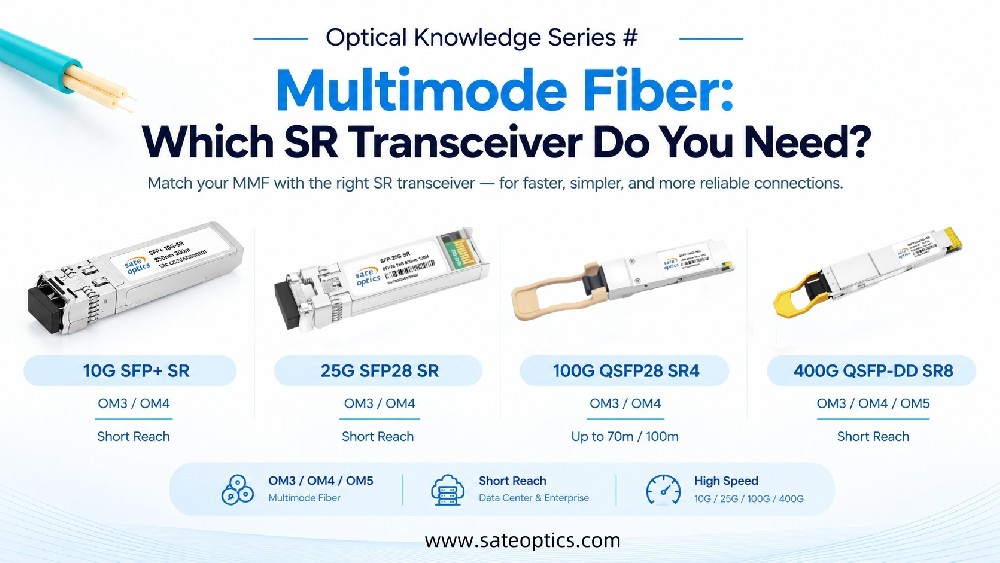
QSFP28 SR4 → short-reach data center links
QSFP28 LR4 → long-distance transmission
QSFP28 ER4 → extended reach applications
QSFP-DD → next-generation high-density deployments
Step 3: Validate Compatibility Before Deployment
Switch compatibility (Cisco / Juniper / etc.)
Firmware and coding alignment
DOM/DDM optical power stability
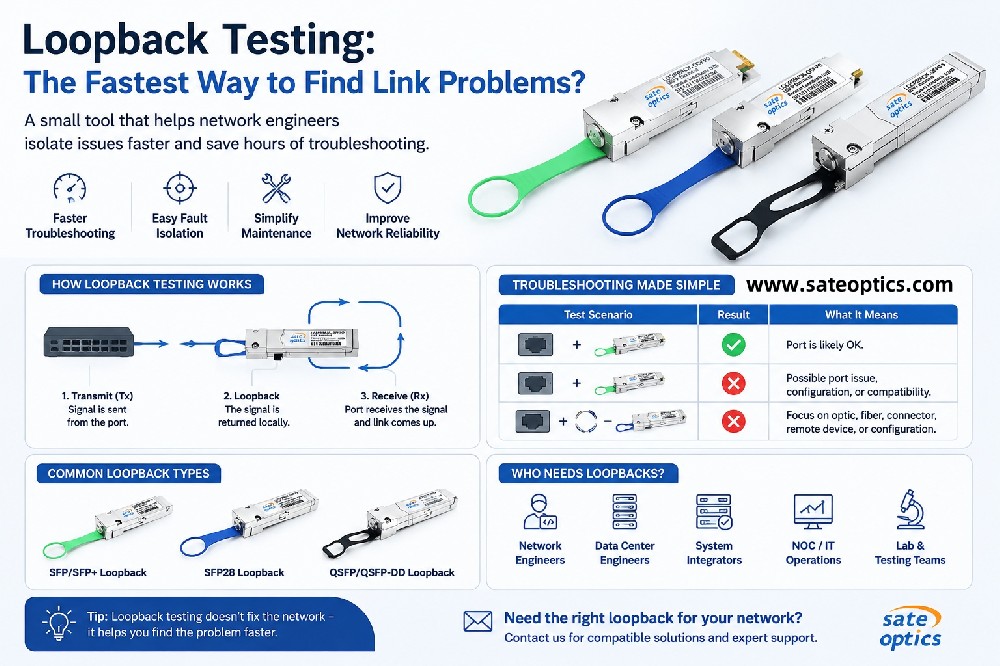
Real-world load testing
Step 4: Optimize Optical Power Budget
Include:
Fiber distance
Connector loss
Patch panel loss
Environmental margin
Step 5: Avoid Over-Engineering
Balance:
Performance
Cost
Stability
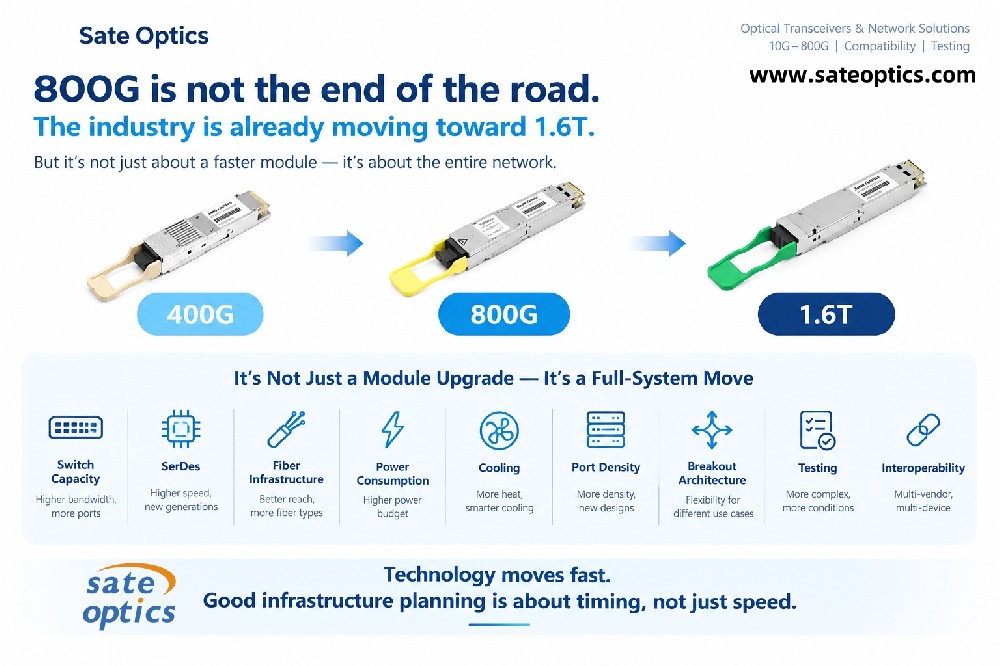
Future scalability (including 400G readiness)
Common Mistakes in 10G to 100G Upgrades
Treating all links as equal
Ignoring optical power budget calculations
Mixing incompatible optical modules
Assuming 100G automatically solves congestion
Skipping real-environment validation
Key Benefits of a Proper 100G Upgrade
Stable high-bandwidth performance
Reduced operational risks
Lower infrastructure costs
Improved scalability
Smooth path toward 400G migration
Conclusion
Upgrading from 10G to 100G is not just a speed improvement — it is a network design and cost optimization decision.
The most successful deployments focus on:
Real traffic requirements
Compatibility validation
Proper optical planning
Balanced cost-performance design
Need Support for Your 10G to 100G Upgrade?
We help data centers and enterprise networks evaluate:
Optical module compatibility
Cost-optimized migration strategies
10G / 100G / 400G upgrade planning
Multi-vendor optical solutions
⭐ FAQ
Frequently Asked Questions (FAQ)
Q1: Do I need to replace all optics when upgrading from 10G to 100G?
A:
No. In most cases, only key traffic paths require 100G upgrades. A segmented upgrade approach is more cost-effective and helps avoid unnecessary overspending across the entire network.
Q2: What is the biggest cause of failure in 100G network upgrades?
A:
Most failures are not caused by bandwidth limitations. They are usually due to compatibility issues, incorrect optical power budget planning, or over-engineering the network design.
Q3: Can 100G transceivers work across different switch vendors?
A:
Yes, but compatibility must be validated before deployment. Differences in firmware, coding, and vendor-specific requirements can affect stability if not properly tested in advance.
Q4: How can I reduce cost in a 100G network migration?
A:
Cost can be reduced by:
Segmenting traffic based on real usage
Selecting the correct optical module based on distance and application
Avoiding unnecessary over-specification
Planning migration in phases instead of full replacement
Q5: What is the best strategy for upgrading from 10G to 100G?
A:
The best strategy is a balanced approach that includes:
Traffic segmentation
Compatibility validation
Optical power budget planning
Cost vs performance optimization
This ensures stable performance while avoiding unnecessary investment.
Previous:Why Are Data Centers Moving from 100G to 400G Optical Transceivers?
Next:DAC vs Fiber Cable: Which Is Better for Short-Distance Data Center Connections?