
SFP Troubleshooting: What to Check Before Replacing the Optical Module?
2026-03-27 11:21:37
SFP Troubleshooting: What to Check Before Replacing the Optical Module
When a network link becomes unstable, the first instinct for many network engineers is to replace the SFP transceiver. While this may resolve the issue in some cases, it's not always the root cause of the problem.
In fact, replacing the SFP module may not fix the issue at all. To prevent unnecessary downtime and avoid costs, it's important to troubleshoot the problem methodically before jumping to conclusions.
Before You Replace the SFP: What to Check First 👇
Step 1: Check the Trend, Not Just the Snapshot
Before assuming that the SFP is faulty, look at the trends over time, not just the current values.
Key parameters to check:
Rx / Tx Optical Power: Are the levels within the acceptable range?
Temperature: Is the temperature stable or fluctuating?
Bias Current: Is there a significant shift in current?
If you notice that Rx power is drifting over time, it's usually a sign that there is an issue with the link rather than the module itself.
Step 2: Inspect the Fiber Path
Often, fiber-related issues can masquerade as SFP problems. Before replacing the optical module, consider the following checks:
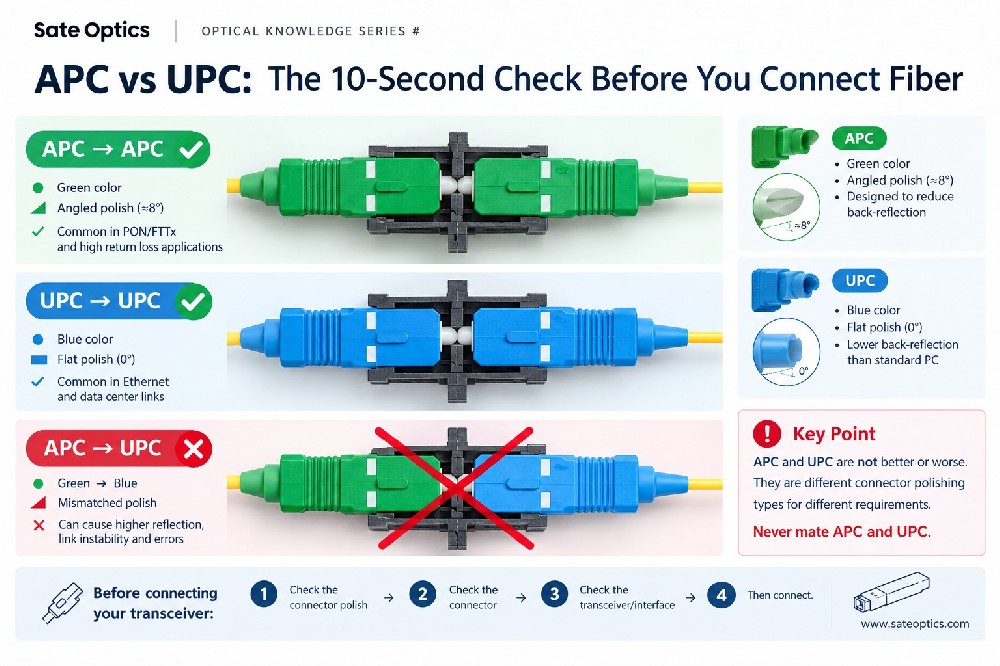
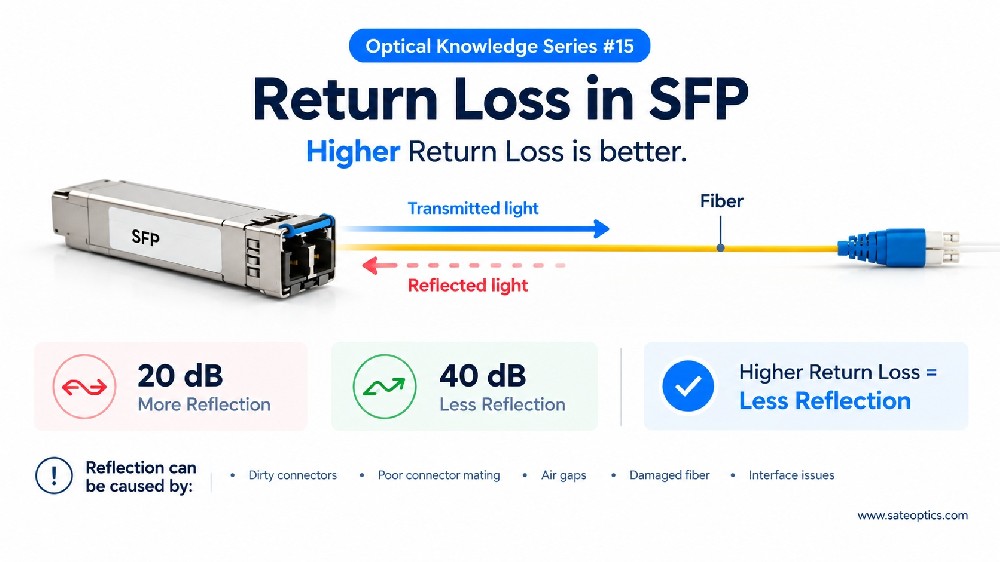
Connector Cleanliness: Dirty connectors are one of the leading causes of signal degradation.
Patch Panel Condition: Inspect the patch panels for damage or wear.
Fiber Bends or Stress Points: Ensure the fiber cables are routed properly without excessive bends or kinks.
Recent Routing Changes: Has the fiber routing changed recently? Any new physical obstacles could impact signal quality.
Many “optic issues” are actually related to the fiber path, not the transceiver itself.
Step 3: Look at Error Signals
Before deciding to swap out the SFP, check for error signals. These can provide valuable insight into what's happening with the link.
Common error signals to monitor:
CRC / BIP Errors: These often indicate issues with signal integrity or margins, rather than a hardware failure.
Packet Loss Under Load: Packet loss can happen due to marginal links or excessive load, not always due to faulty optics.
Intermittent Link Flaps: This usually points to unstable connections caused by physical layer issues or signal degradation, not the transceiver itself.
If you're seeing these issues, they likely point to problems with link margin, not the immediate failure of the SFP.
Step 4: Use Swap as Isolation — Not Assumption
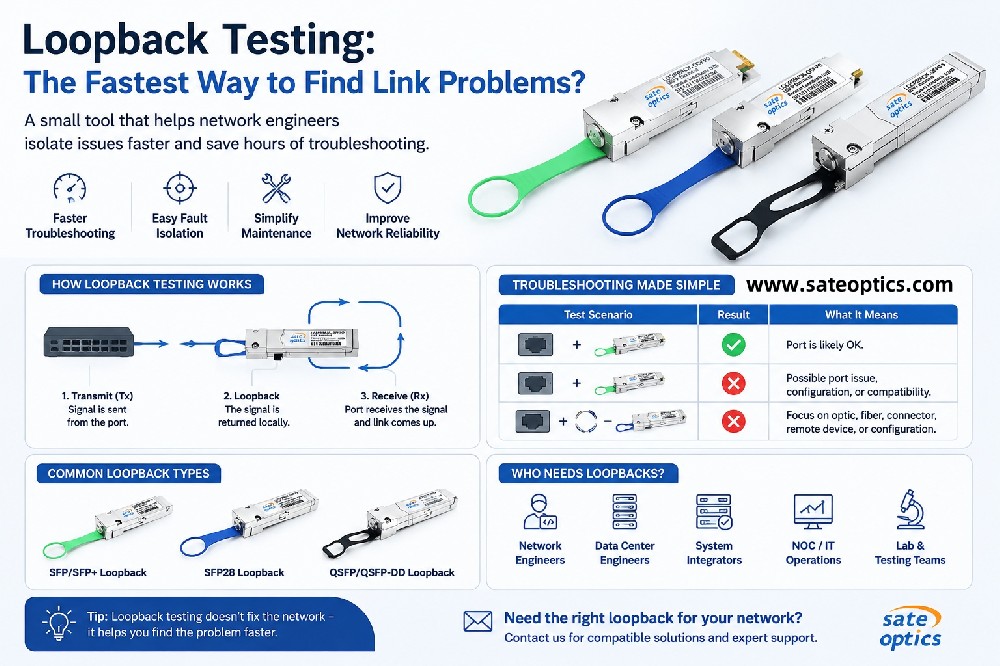
Swapping the SFP can be a useful diagnostic tool, but don’t assume it’s the cause of the problem. Here's how to use it effectively:
Use the swap to isolate the issue, not to assume it's the solution.
If the problem persists after swapping the SFP, it indicates that the issue is likely elsewhere in the network.
The Real Lesson
Replacing the SFP treats the symptom, not the cause.
By understanding the drift of the link and carefully monitoring the link behavior, you can pinpoint the root cause of the problem.
Why Understanding SFP Troubleshooting Matters
SFP troubleshooting is a critical skill for maintaining a stable and efficient network. Misdiagnosing issues can lead to unnecessary component replacements, increased downtime, and unnecessary costs.
Knowing how to properly diagnose issues before replacing the SFP module can help:
Save on unnecessary costs by avoiding unnecessary replacements
Reduce downtime by addressing the real root cause
Improve overall network stability through better troubleshooting practices
Choosing the Right Optical Transceiver for Your Network
If you're experiencing link instability, an incorrect SFP could be the culprit. However, troubleshooting is the first step before jumping to conclusions.
At Sate Optics, we provide high-quality optical transceivers designed to work seamlessly with a variety of network configurations:
SFP / SFP+ / QSFP Modules
1G to 400G support
Broad compatibility with Cisco, Juniper, Arista, and HPE platforms
Our modules undergo extensive testing to ensure reliable performance, and we offer global shipping to support your networking needs.
FAQ: SFP Troubleshooting
What should I check first if my SFP link is unstable?
Start by checking the trend of Rx/Tx optical power, temperature, and bias current over time. Drifting Rx power usually indicates issues with the link, not the module.
Are fiber issues often the cause of link instability?
Yes. Many SFP issues are related to the fiber path, such as dirty connectors, fiber bends, or routing problems, rather than the module itself.
Can replacing an SFP module fix network issues?
Replacing the SFP can help isolate the problem, but it's not always the solution. If the problem persists after replacement, the issue is likely elsewhere in the network.
How do I know if the problem is with the SFP or the fiber?
If you're experiencing CRC errors, packet loss, or intermittent link drops, check for fiber-related issues first, such as connector cleanliness or fiber stress points.
Final Takeaway
When troubleshooting SFP-related issues, always consider the link behavior and trends rather than jumping to conclusions about faulty hardware.
Proper troubleshooting can save time, reduce costs, and ensure your network stays up and running smoothly.
If you need help troubleshooting your SFP links or choosing the right optical transceivers for your network, Sate Optics is here to assist.
Contact us for:
Expert troubleshooting guidance
Product recommendations
Fast quotations for your upcoming projects
SFP Troubleshooting
SFP Transceivers
Fiber Optic Networking
Network Troubleshooting
Link Stability
Optical Transceivers
Networking Solutions
Network Performance
Data Center Networking
Fiber Optics
Previous:Early Warning Signs of Fiber Link Failure: Why Rx Optical Power Drift Matters Most?