
2026-05-08 17:08:45
How to Choose the Right SFP Module (Without Overpaying or Failing Later)
Choosing the wrong SFP module is one of the most common and expensive mistakes in network deployment.
Many buyers focus only on speed or price, but real-world compatibility depends on much more:
Switch compatibility
Transmission distance
Fiber type
Wavelength
Power budget
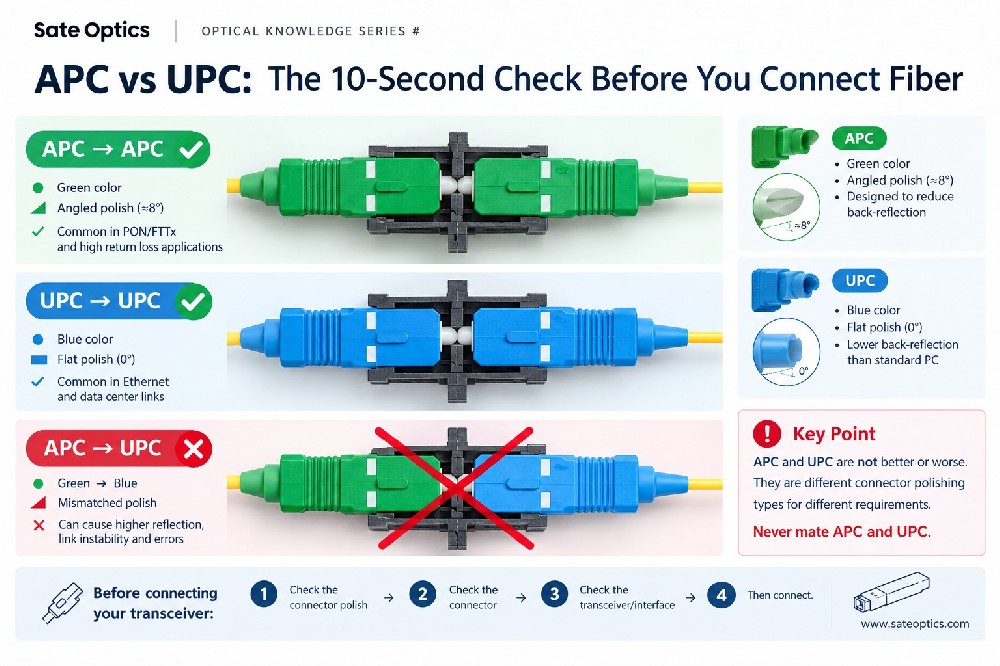
Connector type
A wrong choice can lead to:
Link failure
Unstable transmission
Compatibility alarms
High return rates
Unexpected replacement costs
The good news: most SFP buying mistakes can be avoided before installation even starts.
In this guide, we’ll explain how to choose the right SFP module for your network without overpaying or creating future problems.
What Is an SFP Module?
An SFP (Small Form-factor Pluggable) module is a hot-swappable transceiver used in switches, routers, servers, and telecom equipment to transmit data over fiber or copper connections.
Different SFP modules support different:
Speeds
Distances
Fiber types
Network standards
That’s why selecting the correct model matters.
Step 1 — Confirm Your Required Speed
The first step is identifying the port speed supported by your equipment.
Common SFP types include:
| Module Type | Speed |
|---|---|
| SFP | 1G |
| SFP+ | 10G |
| SFP28 | 25G |
| QSFP+ | 40G |
| QSFP28 | 100G |
A 10G SFP+ module will not work properly in a 1G-only port unless the device explicitly supports dual rate operation.
Always check your switch or router specifications before purchasing.
Step 2 — Choose the Correct Transmission Distance
Different optical modules are designed for different distances.
Common 10G SFP+ Types
| Type | Fiber | Typical Distance |
|---|---|---|
| SR | Multimode | 300m |
| LR | Singlemode | 10km |
| ER | Singlemode | 40km |
| ZR | Singlemode | 80km |
Many users overpay by buying long-distance optics for short links.
For example:
Using ER optics for a 2km link usually provides no benefit
High-power optics may even overload receivers on short distances
LR modules are often sufficient for enterprise and campus networks
The best choice is not the most expensive one — it is the one that matches your actual link requirement.
Step 3 — Understand Singlemode vs Multimode Fiber
This is one of the biggest sources of purchasing mistakes.
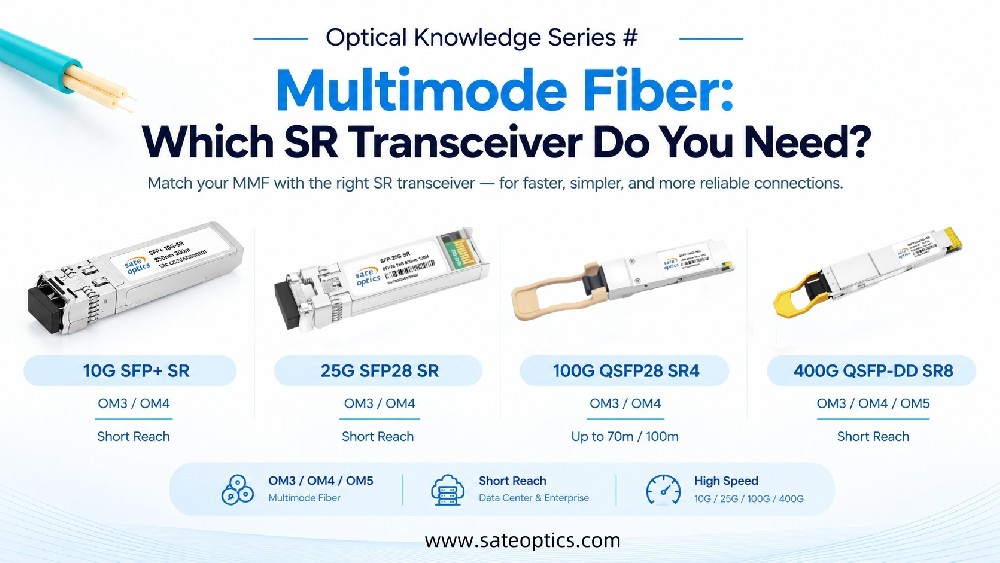
Multimode Fiber (MMF)
Usually used for:
Data centers
Short-distance connections
Typically paired with:
SR modules
OM3 / OM4 fiber
Singlemode Fiber (SMF)
Usually used for:
Long-distance transmission
ISP and telecom networks
Campus backbone links
Typically paired with:
LR / ER / ZR optics
Using the wrong fiber type can prevent the link from working entirely.
Step 4 — Check Compatibility Carefully
Not all SFP modules work with all brands.
Many network vendors use compatibility coding or vendor locking.
Common compatibility requirements include:
Cisco compatible SFP
Huawei compatible optics
Juniper coded modules
MikroTik compatible transceivers
Ubiquiti compatible SFP modules
A module with the wrong EEPROM coding may trigger:
“Unsupported transceiver” errors
Port shutdown
Warning alarms
Unstable performance
Before ordering, confirm:
Switch brand
Device model
Software version
Required coding format
Compatibility testing is critical in multi-vendor networks.
Step 5 — Verify Connector and Wavelength
Another common issue is mismatched connectors or wavelengths.
Connector Types
Most SFP modules use:
LC duplex connectors
LC simplex connectors (BiDi modules)
Wavelength Examples
| Module | Wavelength |
|---|---|
| SR | 850nm |
| LR | 1310nm |
| ER/ZR | 1550nm |
BiDi modules use different TX/RX wavelengths and must be used in matched pairs.
Example:
1310nm-TX / 1550nm-RX
paired with1550nm-TX / 1310nm-RX
Wrong wavelength pairing = no link.
Step 6 — Consider DDM / DOM Monitoring
Many enterprise users prefer modules with DDM/DOM support.
DDM (Digital Diagnostic Monitoring) allows engineers to monitor:
Temperature
Voltage
TX optical power
RX optical power
Laser bias current
This helps reduce troubleshooting time and improves network maintenance.
Step 7 — Don’t Focus Only on Price
Ultra-cheap optics may cause hidden costs later:
High failure rates
Compatibility problems
Packet loss
Poor optical stability
More downtime
Reliable optical modules should provide:
Stable chipset performance
Industrial-grade components
Compatibility testing
Quality control
Long-term supply consistency
In many cases, a slightly better module saves far more money over time.
Common SFP Buying Mistakes
Buying Based Only on Distance
Longer distance does not always mean better.
Ignoring Compatibility
Coding matters.
Mixing Fiber Types
Singlemode and multimode are not interchangeable.
Choosing the Cheapest Supplier
Low initial cost can create higher maintenance costs later.
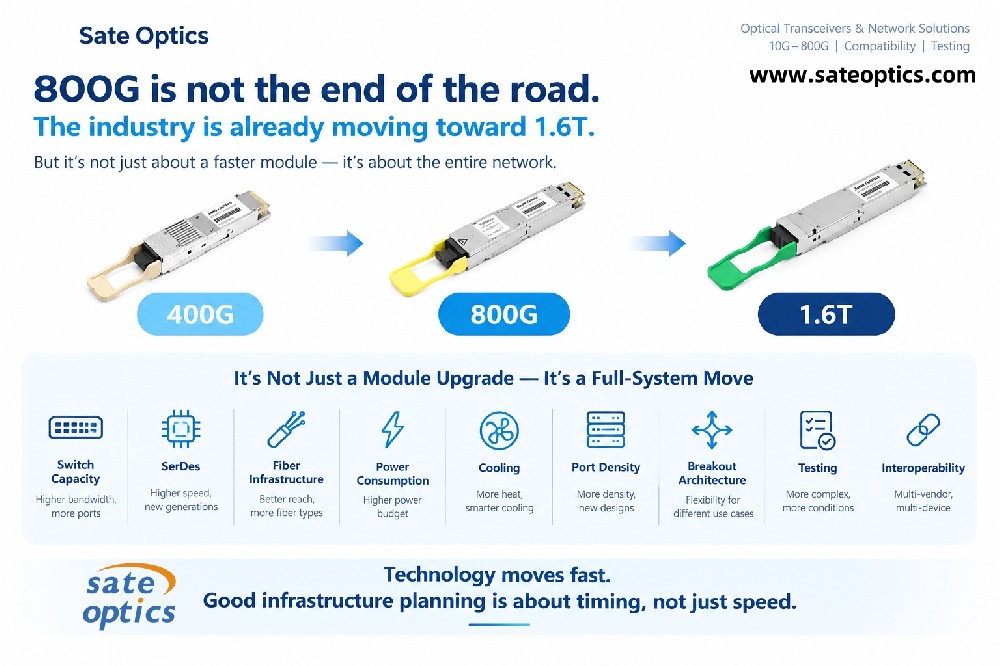
Forgetting Future Expansion
Plan for future bandwidth upgrades when possible.
Final Thoughts
Choosing the right SFP module is not just about matching speed.
A successful deployment requires balancing:
Compatibility
Distance
Fiber type
Optical budget
Reliability
Future scalability
The best optical module is the one that works reliably in your actual network environment — without unnecessary cost or deployment risk.
If you are unsure which SFP module fits your switch or transmission requirement, compatibility testing and proper specification verification should always come before purchasing.
how to choose sfp module
which sfp do I need
sfp compatibility guide
sfp module selection
sfp sr vs lr
singlemode vs multimode sfp
compatible sfp modules
10g sfp module guide
sfp buying guide
optical transceiver compatibility
Previous:Case Study: Reducing Data Center Downtime by 30% with Sate Optics' Optical Modules
Next:Why Some “Optics Problems” Are Not Actually Optics Problems